Any website. Any data. Get a free sample.

Tell us what you need scraped and we'll send you a sample before you commit.

Free Chrome Extension

Scrape any website without writing code

Click the data you need on any page — lists, tables, product details, images or emails — and export it to CSV, Excel or JSON in seconds.

scrapingsandbox.com
Agenty web scraper side panel extracting a product list into a table

Customer rated

Trusted across leading review platforms

G2

4.8 out of 5

4.8
Capterra

4.6 out of 5

4.6
Trustpilot

4.7 out of 5

4.7

How it works

From web page to spreadsheet in four steps

  1. 01

    Add to Chrome

    Install the extension from the Chrome Web Store and pin Agenty to your toolbar.

  2. 02

    Click what you need

    Open the side panel on any website and click a list item, a field or an image.

  3. 03

    Export your data

    Preview the extracted rows and download them as CSV, Excel or JSON.

  4. 04

    Scale in the cloud

    Deploy the scraper to Agenty cloud to schedule it and run it on thousands of pages.

Product tour

See the extension in action

Every screenshot below is the real extension running on scrapingsandbox.com.

scrapingsandbox.com
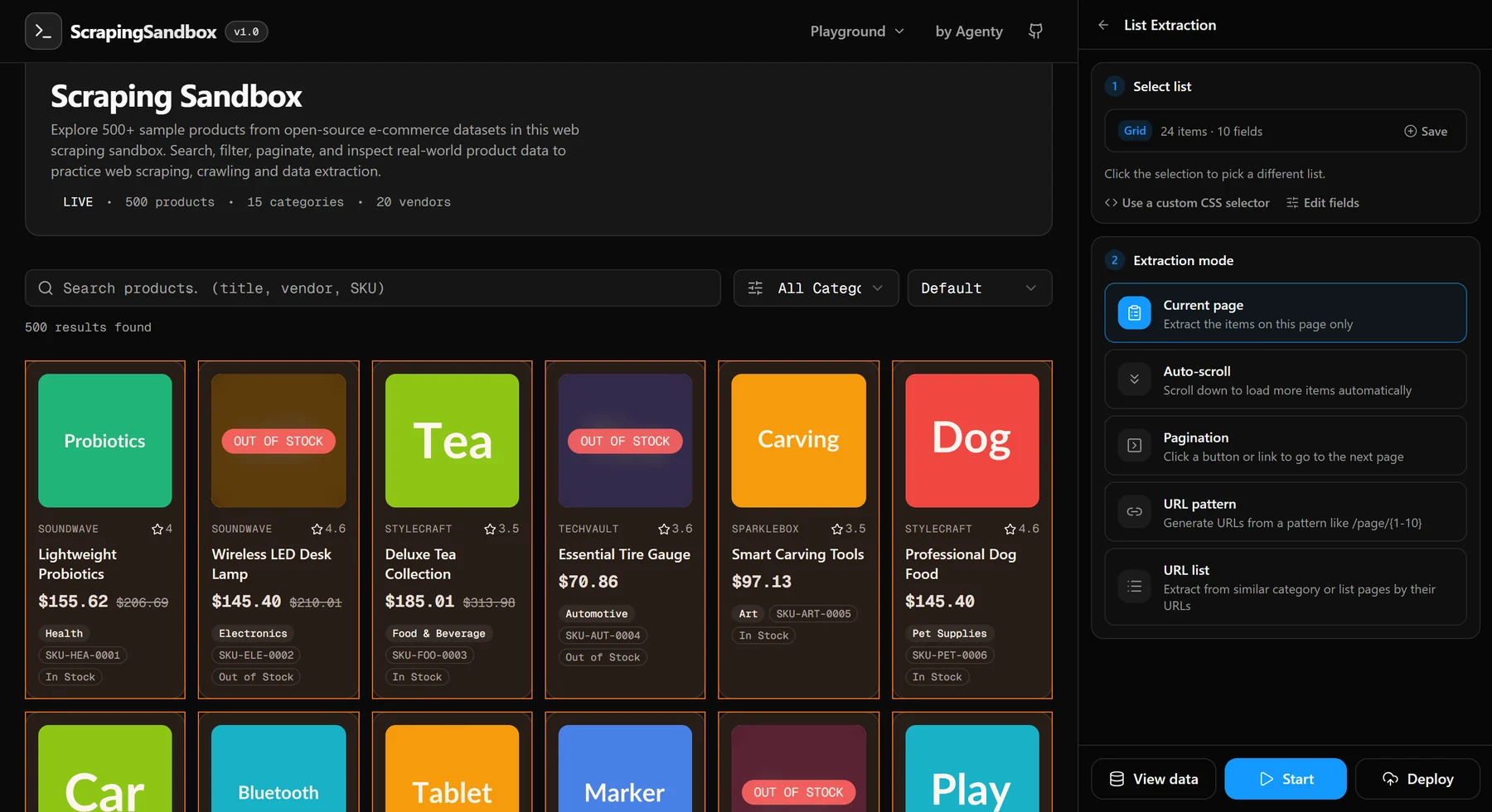
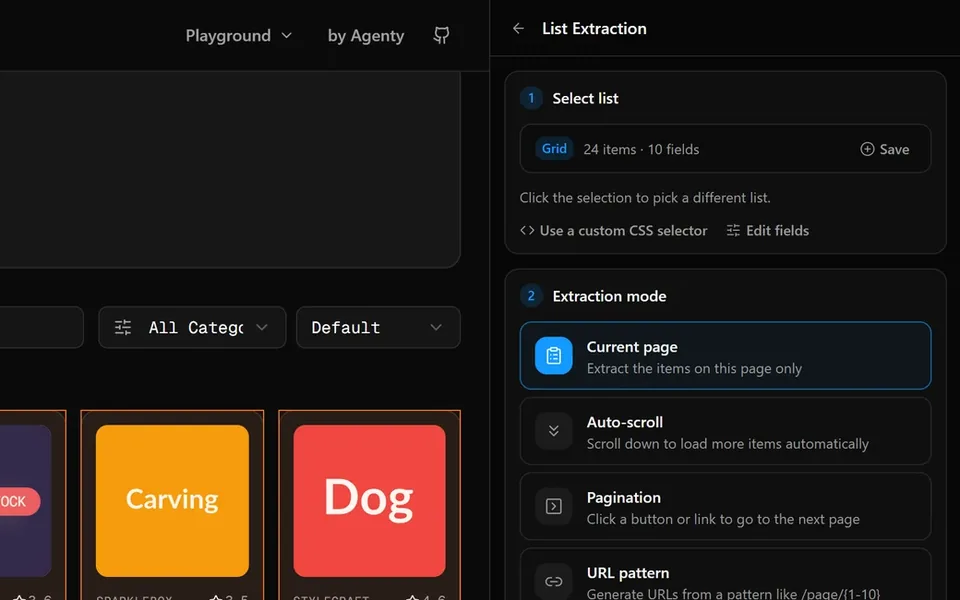
Agenty side panel detecting a product grid with 24 items and 10 fields on a web page

Start extracting this data with your own scraping agent.

Add to Chrome

List extraction

Click one item and the extension detects the whole list, its fields and the pagination.

Agenty — Extracted data
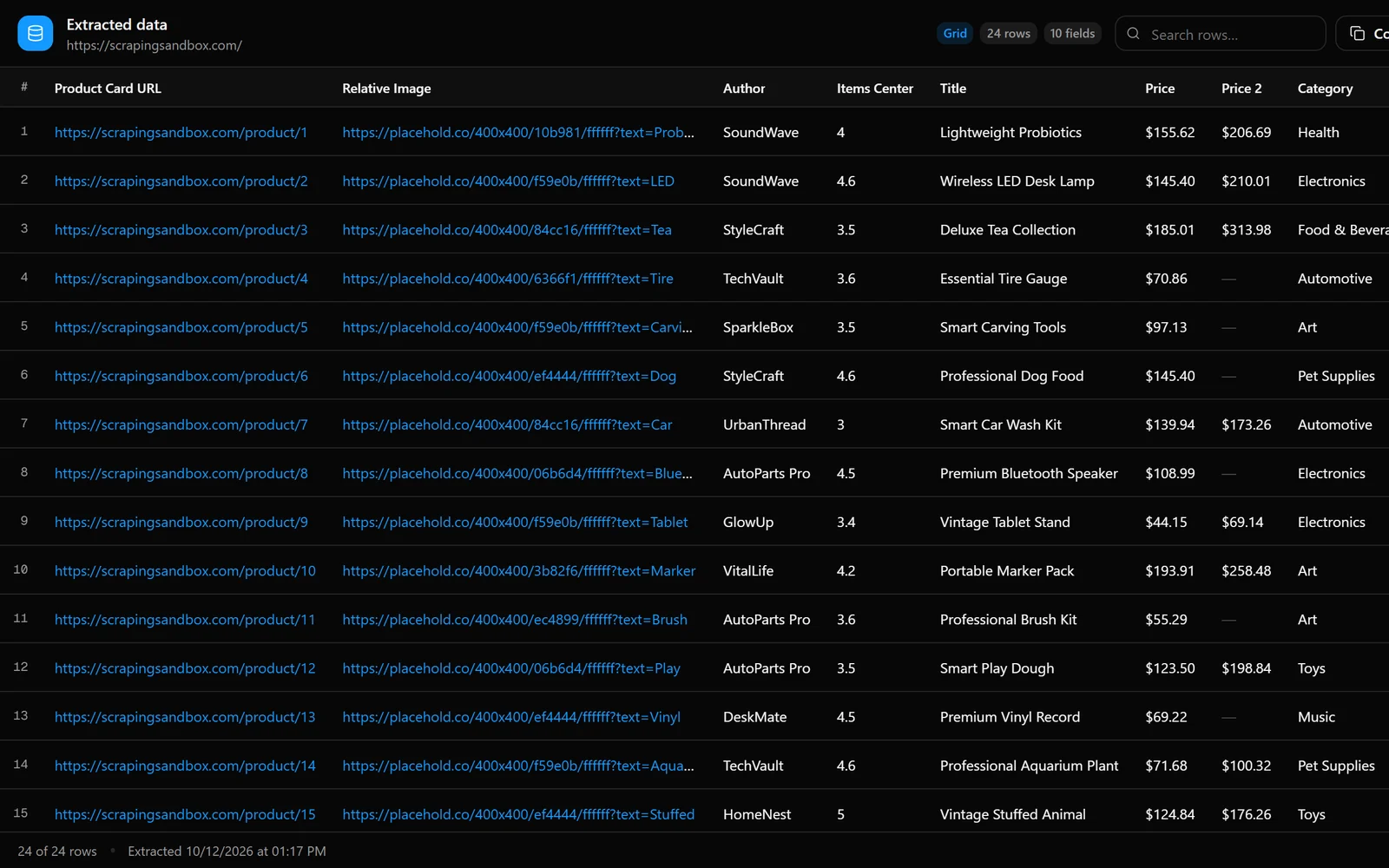
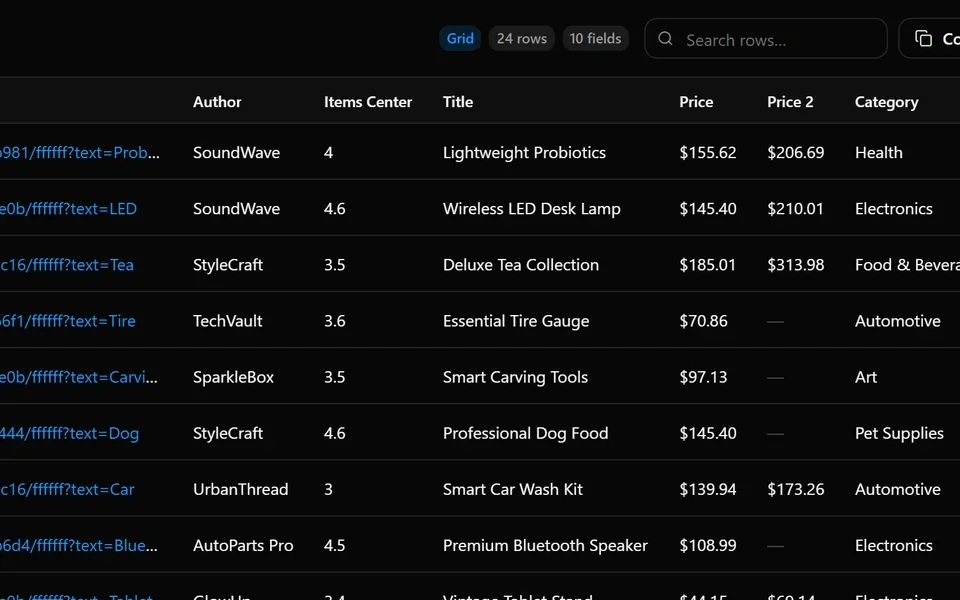
Extracted product data shown in a table with export options

Start extracting this data with your own scraping agent.

Add to Chrome

Preview and export

Review every row in a clean table, then copy as CSV or export to Excel or JSON.

scrapingsandbox.com/product/3
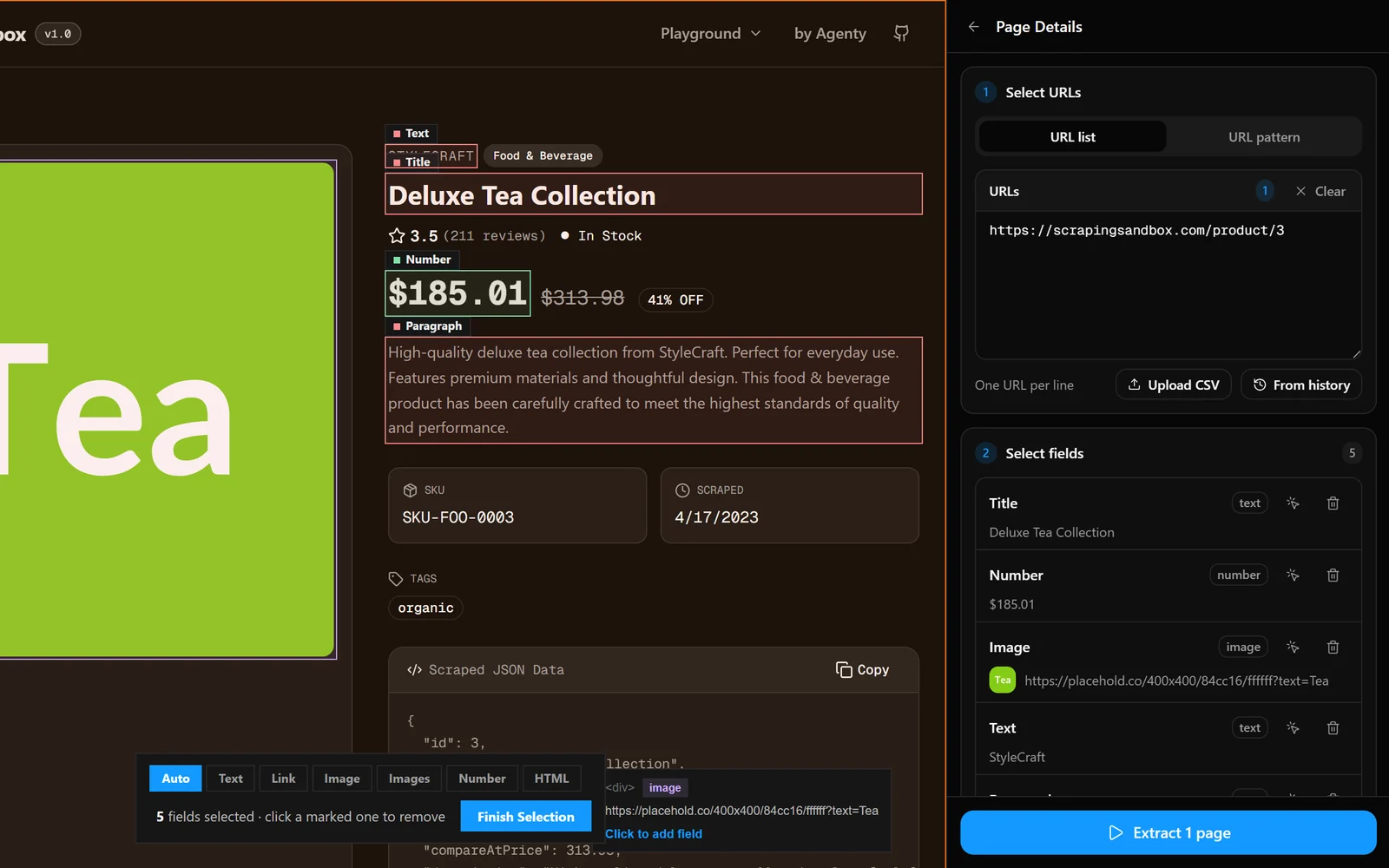
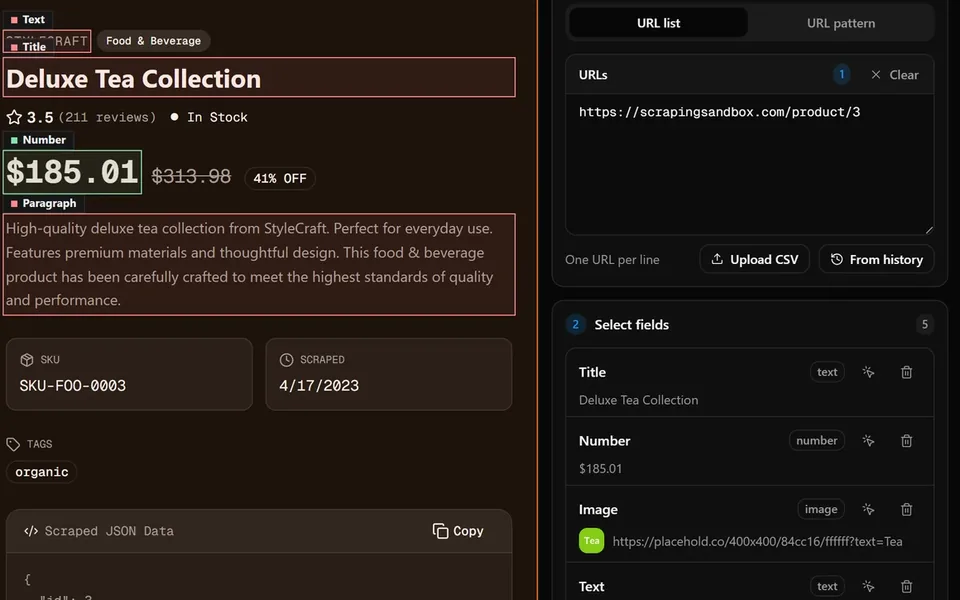
Fields picked on a product detail page with the Page Details panel listing title, price and image

Start extracting this data with your own scraping agent.

Add to Chrome

Page details

Pick fields once on a detail page and scrape the same fields across a list of URLs.

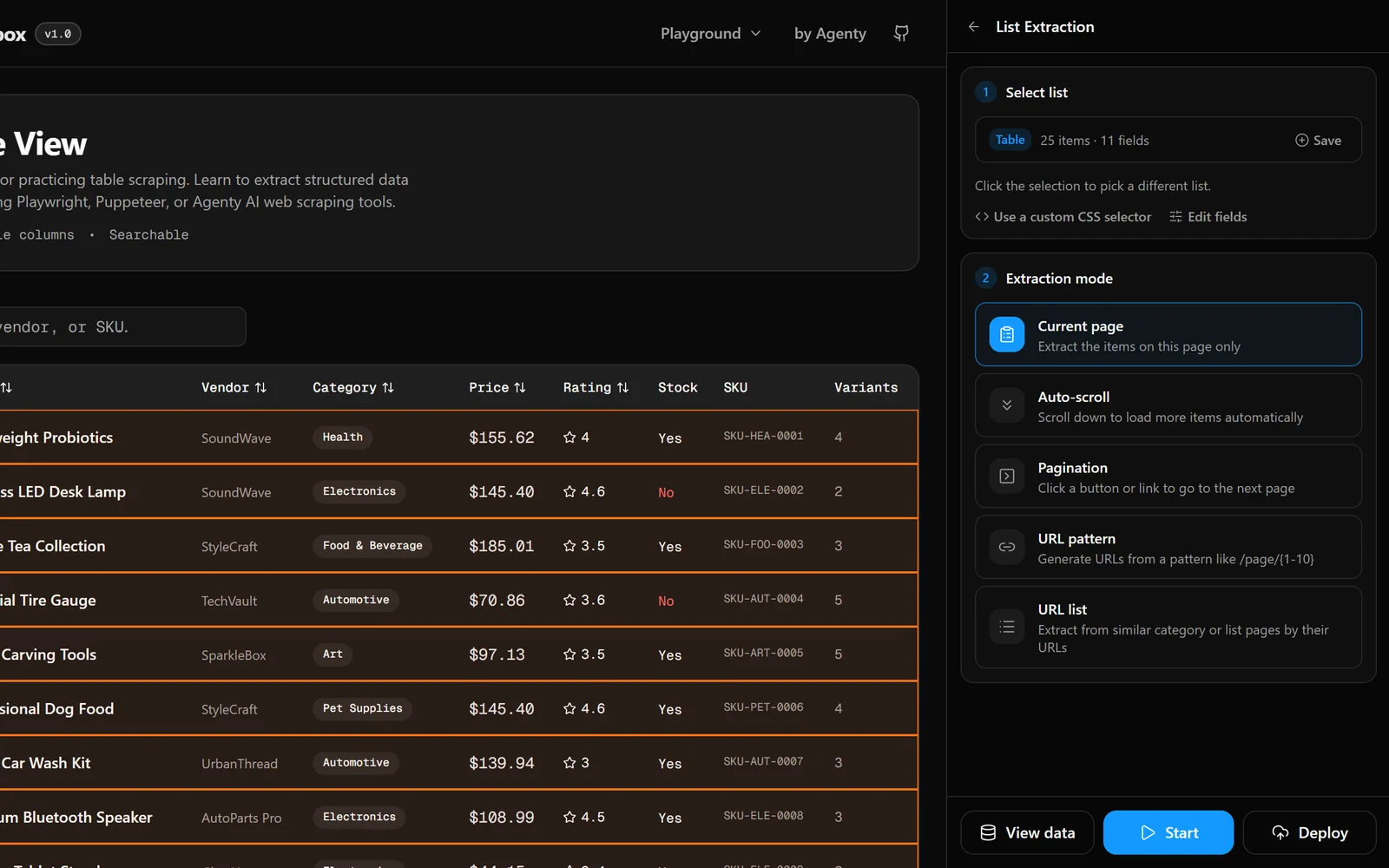
scrapingsandbox.com/data-table
HTML data table selected for extraction in the Agenty side panel

Start extracting this data with your own scraping agent.

Add to Chrome

Table extraction

Turn any HTML table into structured rows with sortable, named columns.

scrapingsandbox.com
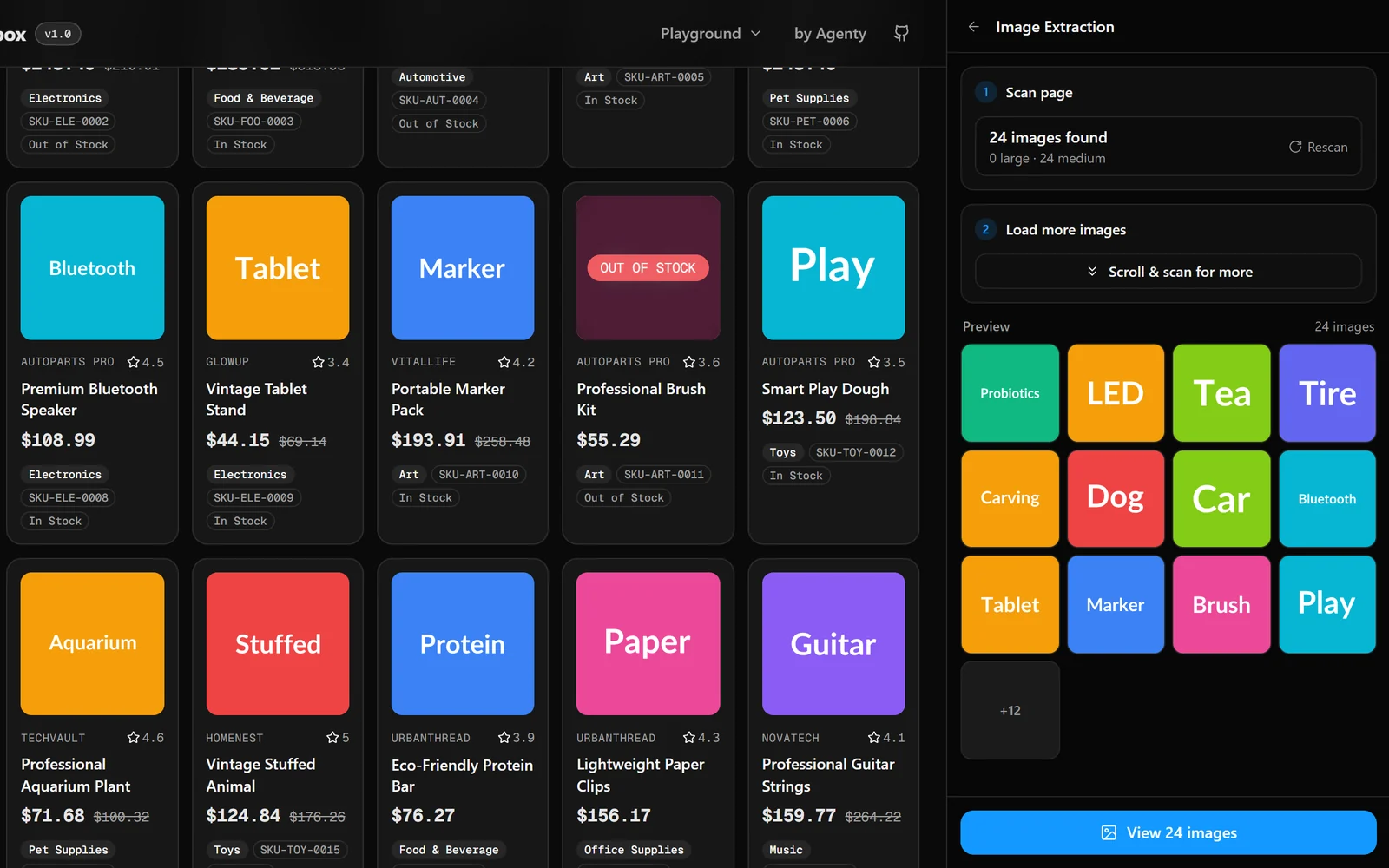
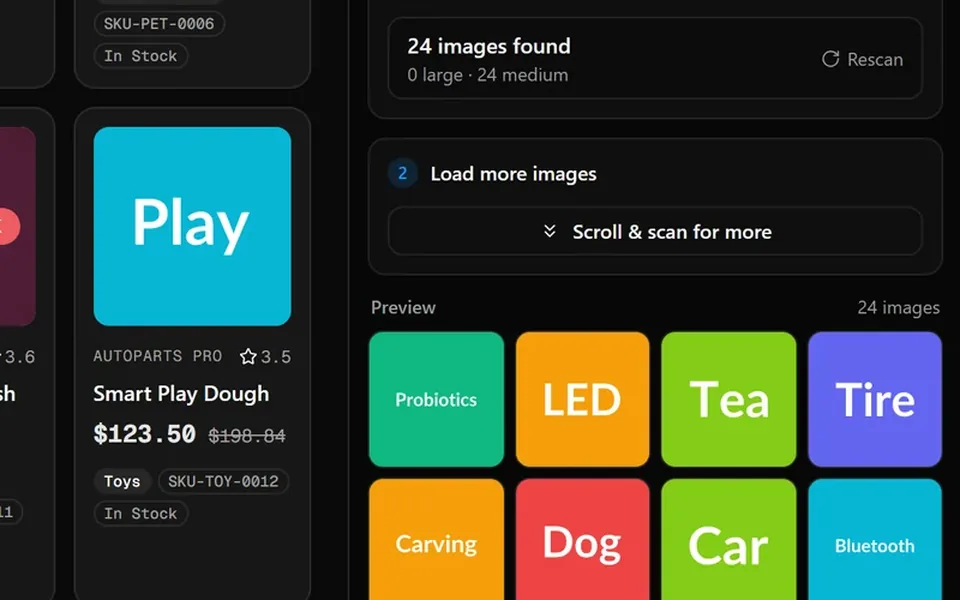
Image Extraction panel showing 24 images found on a web page

Start extracting this data with your own scraping agent.

Add to Chrome

Image extraction

Scan a page for every image, filter by size and download them as a ZIP.

Extension features

Everything you need to scrape from your browser

List and table extraction, multi-page scraping, page details, images and emails — all from one side panel.

Agenty side panel detecting a product grid with 24 items and 10 fields

List extraction

Click any item in a repeating list — products, search results, listings, directories — and the extension finds every similar item and its fields automatically.

  • Auto-detects grids, lists and cards
  • Names columns from the page structure
  • Use a custom CSS selector when needed
  • Edit, rename or remove fields
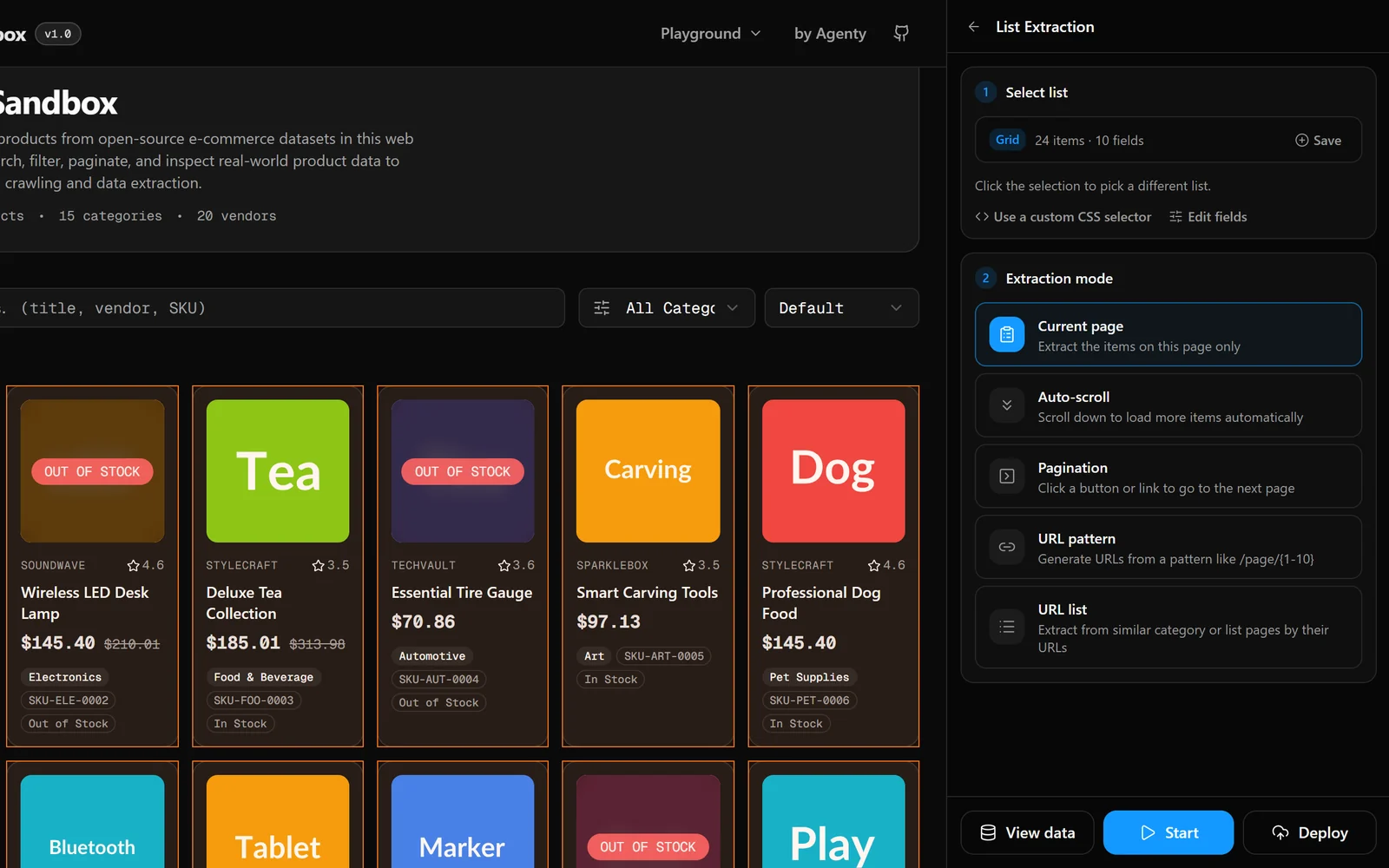
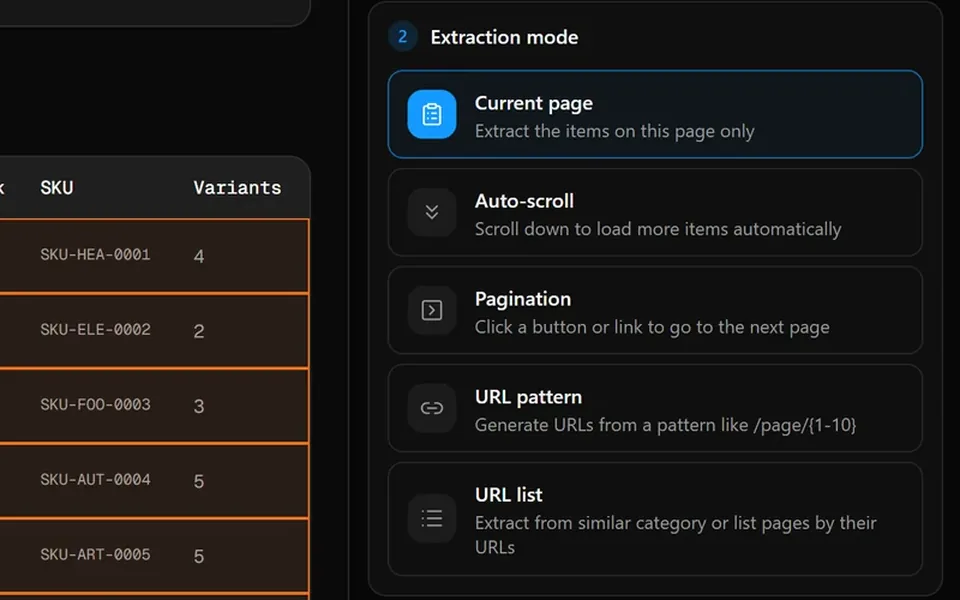
Extraction mode options for current page, auto-scroll, pagination, URL pattern and URL list

Pagination & infinite scroll

Go beyond the first page. Follow a "Next" button, scroll to load more items, or generate page URLs from a pattern.

  • Current page, auto-scroll or "Next" button
  • URL patterns like /page/{1-10}
  • Scrape a list of category URLs
  • Configurable delays and page limits
Title, price and description fields picked on a product detail page

Page details

Pick the fields you need on one detail page, then scrape the same fields across hundreds of similar pages from a URL list or a CSV upload.

  • Point-and-click field picker
  • Text, link, image, number and HTML fields
  • Paste URLs, upload CSV or reuse history
  • Adds page URL and title to every row
Image Extraction panel showing 24 images found with a preview gallery

Image extraction

Collect every image on a page, including lazy-loaded ones, preview them in a gallery and download the ones you want as a ZIP.

  • Finds img, background and srcset images
  • Scroll & scan to load more images
  • Filter by size before downloading
  • One-click ZIP download

Email extraction

Find email addresses on any page — in the visible text, mailto: links and element attributes — and export them as a clean list.

  • Text, mailto: links and attributes
  • Duplicates removed automatically
  • Copy or export in one click
Extracted data table with row count, search and export options

Export to CSV, Excel & JSON

Preview your data in a searchable table, then copy it as CSV or export to Excel or JSON. Past runs are saved in history so you can reopen them any time.

  • CSV, Excel (.xlsx) and JSON exports
  • Searchable data preview
  • Run history with one-click reopen
  • Saved scrapers you can re-run

Frequently asked questions

Outgrow the browser?

Run your scrapers in the cloud

Deploy any scraper from the extension to Agenty cloud with one click — schedule it, run it on thousands of pages and send the data to Google Sheets, S3 or your API.

  • Custom web scraping at scale
  • Real-time price monitoring
  • LLM training data curation
  • Structured JSON & CSV exports
  • Anti-bot bypass built-in
  • 99.9% uptime SLA

Get a free sample dataset from any website before you commit.